Can GPT 5.4 Actually Use Your Computer?
Can GPT 5.4 Actually Use Your Computer?
This week, OpenAI dropped its most capable model ever — one that can literally control your computer, plug into your spreadsheets, and handle a million tokens of context. Meanwhile, Google quietly shipped a tool that could change how AI interacts with every app you use at work. Let's break it all down.
|
|
The Big Story
OpenAI launches GPT 5.4 — and it can use your computer
OpenAI released GPT 5.4 on March 5, and it's not just another incremental upgrade. This is the first general-purpose AI model with native computer use: it can navigate your desktop, click through apps, fill out forms, and operate software like a human would — hitting a 75% success rate on desktop navigation benchmarks, surpassing the human baseline of 72.4%.
But the feature that will matter most to office workers? New financial plugins that plug GPT 5.4 directly into Microsoft Excel and Google Sheets cells. No copy-pasting data into ChatGPT — the AI works inside your spreadsheet, analyzing and completing tasks in place.
The model comes in two flavors: GPT 5.4 Thinking (available to all paid ChatGPT users at $20/month) and GPT 5.4 Pro (for ChatGPT Pro at $200/month and Enterprise customers). It also uses 47% fewer tokens than its predecessor on many tasks, which means faster, cheaper responses. My take: the computer use feature is still early — you won't hand it your entire workflow tomorrow — but the spreadsheet integration is genuinely useful right now.
|
|
Tool of the Week: Google Workspace CLI (gws)
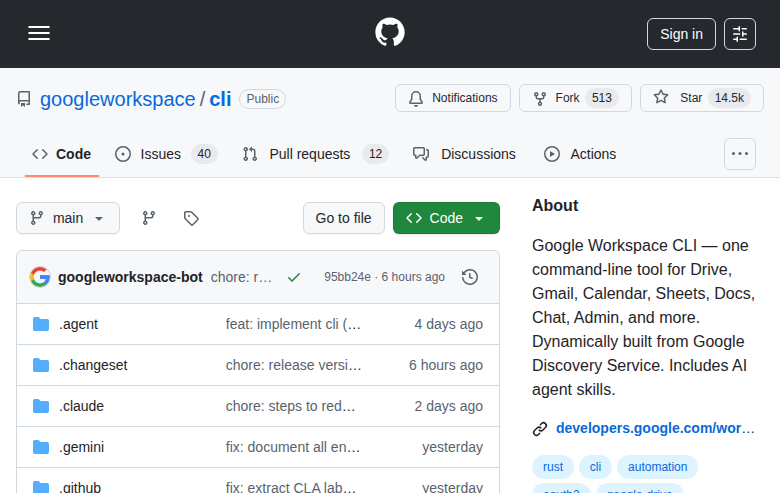
What it does: A single command-line tool that connects AI agents to your entire Google Workspace — Drive, Gmail, Calendar, Sheets, Docs, Chat, and Admin — through one unified interface.
Why it matters this week: Google released gws on March 2 and it immediately hit #1 on Hacker News, racking up 14,500 GitHub stars in under a week. Why the excitement? This is Google's first official tool that lets AI assistants (like Claude Desktop, VS Code Copilot, or any MCP-compatible agent) directly access and manage your Google Workspace apps. Think of it as the bridge between your AI tools and the apps where you actually do your work.
How to use it:
- Install with
npm install -g @googleworkspace/cli (or download a pre-built binary)
- Run
gws auth setup to connect your Google account
- Start the AI agent bridge with
gws mcp -s drive,gmail,calendar — this exposes your Workspace apps to any MCP-compatible AI assistant
Once connected, your AI can search your Drive, draft emails, check your calendar, and pull data from Sheets — all with your explicit permission. The tool builds its commands dynamically from Google's own API definitions, so it automatically picks up new Workspace features as Google releases them.
Pricing: Free and open source (GitHub). Requires a Google Cloud project for authentication (free tier available).
Link: github.com/googleworkspace/cli
|
|
Quick Picks
-
Apple MacBook Pro M5 Pro/Max — Apple's new chips deliver 4x the AI performance of the previous generation thanks to Neural Accelerators in every GPU core. Pre-orders open, starting at $2,199. Ships March 11.
-
Pentagon officially bans Anthropic — The Department of Defense designated Anthropic a "supply chain risk", barring military contractors from using Claude. Anthropic is suing. Ironically, Claude downloads surged after the ban.
-
OpenAI Codex Security — A new AI agent that scans your codebase for vulnerabilities, validates them, and proposes fixes. Free research preview for ChatGPT Enterprise, Business, and Edu users.
-
OpenAI Symphony — Open source framework for orchestrating autonomous AI agents on coding and implementation tasks. Think: AI project managers for your dev team.
|
|
Deal Alert
-
OpenAI Codex Security is completely free during the research preview for Enterprise, Business, and Edu customers — normally these add-ons come at a premium
-
GPT 5.4 Thinking is included at no extra cost for existing ChatGPT Plus subscribers ($20/mo) — no upgrade required
|
|
Pro Tip
How to use GPT 5.4's new Sheets plugin to automate financial analysis
Next time you have a spreadsheet full of raw data, skip the formula headaches. With GPT 5.4's new Google Sheets integration, you can highlight a range of cells, ask ChatGPT to "calculate month-over-month growth rates and flag any anomalies above 20%," and it writes the formulas directly into your sheet. The key workflow: open your spreadsheet in Google Sheets, enable the ChatGPT plugin from the Extensions menu, select your data range, and describe what you want in plain English. It handles VLOOKUP chains, pivot summaries, and conditional formatting that would normally take you 30 minutes of Googling — in about 10 seconds.
|
|
Know someone drowning in busywork? Forward this email — they'll thank you.
Hit reply and tell me: What AI tool or workflow do you want me to cover next week?
|
|
AI Productivity Weekly by Brand Growth OS
|
|
|